Koha Mobile Library System

A comprehensive mobile solution that extends your existing Koha ILS with a modern, student-centric mobile application.

View Documentation

Key Features

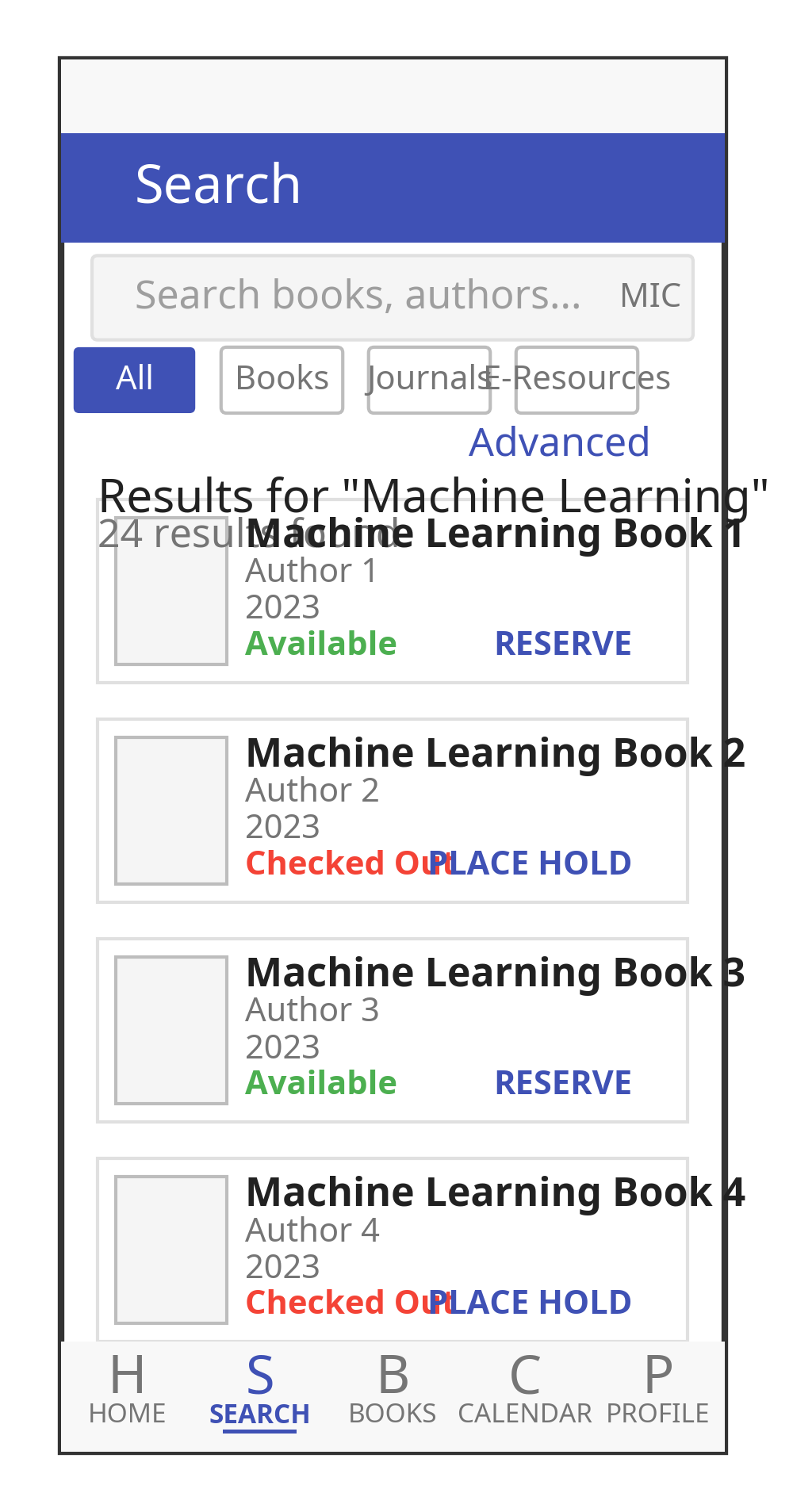
Intuitive Catalog Search

Powerful search capabilities with filters, voice input, and barcode scanning for quick access to library resources.

Checkout Management

Easily manage borrowed items, renew checkouts, and receive due date notifications to avoid overdue fees.

Offline Capabilities

Access essential information and queue operations even when offline, with automatic synchronization when back online.

Resource Booking

Book study rooms, equipment, and other library resources with an intuitive calendar interface.

Secure Authentication

OAuth2 authentication with biometric options for convenient and secure access to library services.

Smart Notifications

Receive timely alerts for due dates, available holds, and library announcements to stay informed.

System Architecture

The Koha Mobile Library System follows a modern, layered architecture that ensures separation of concerns, scalability, and maintainability. The architecture consists of three key components:
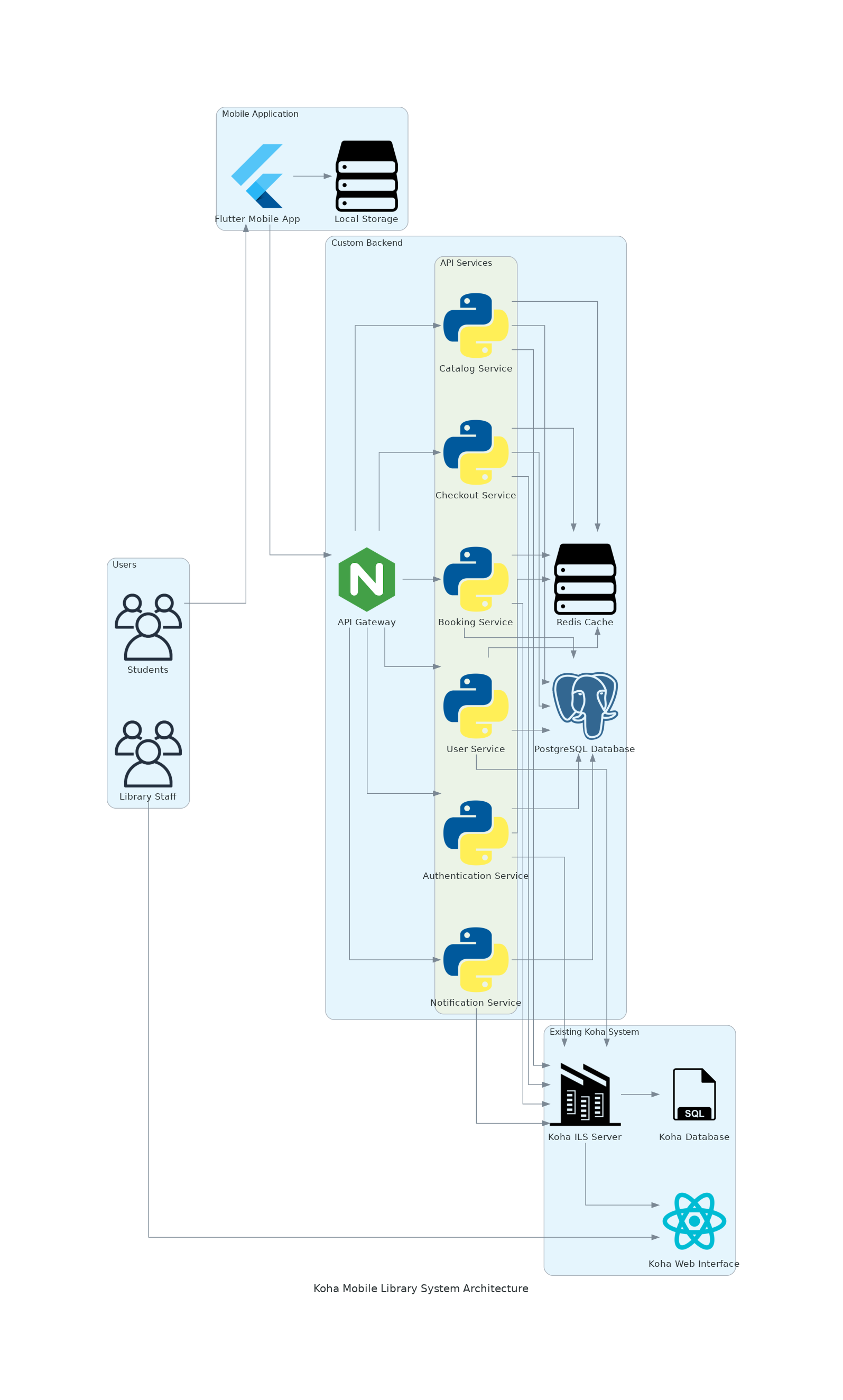
System Architecture Diagram

Existing Koha System

  • Koha ILS Server
  • Koha Database
  • Koha Web Interface

Custom Backend

  • API Gateway
  • Microservices
  • Redis Cache
  • PostgreSQL Database

Mobile Application

  • Flutter Mobile App
  • Local Storage
  • Offline Capabilities

Mobile App Wireframes

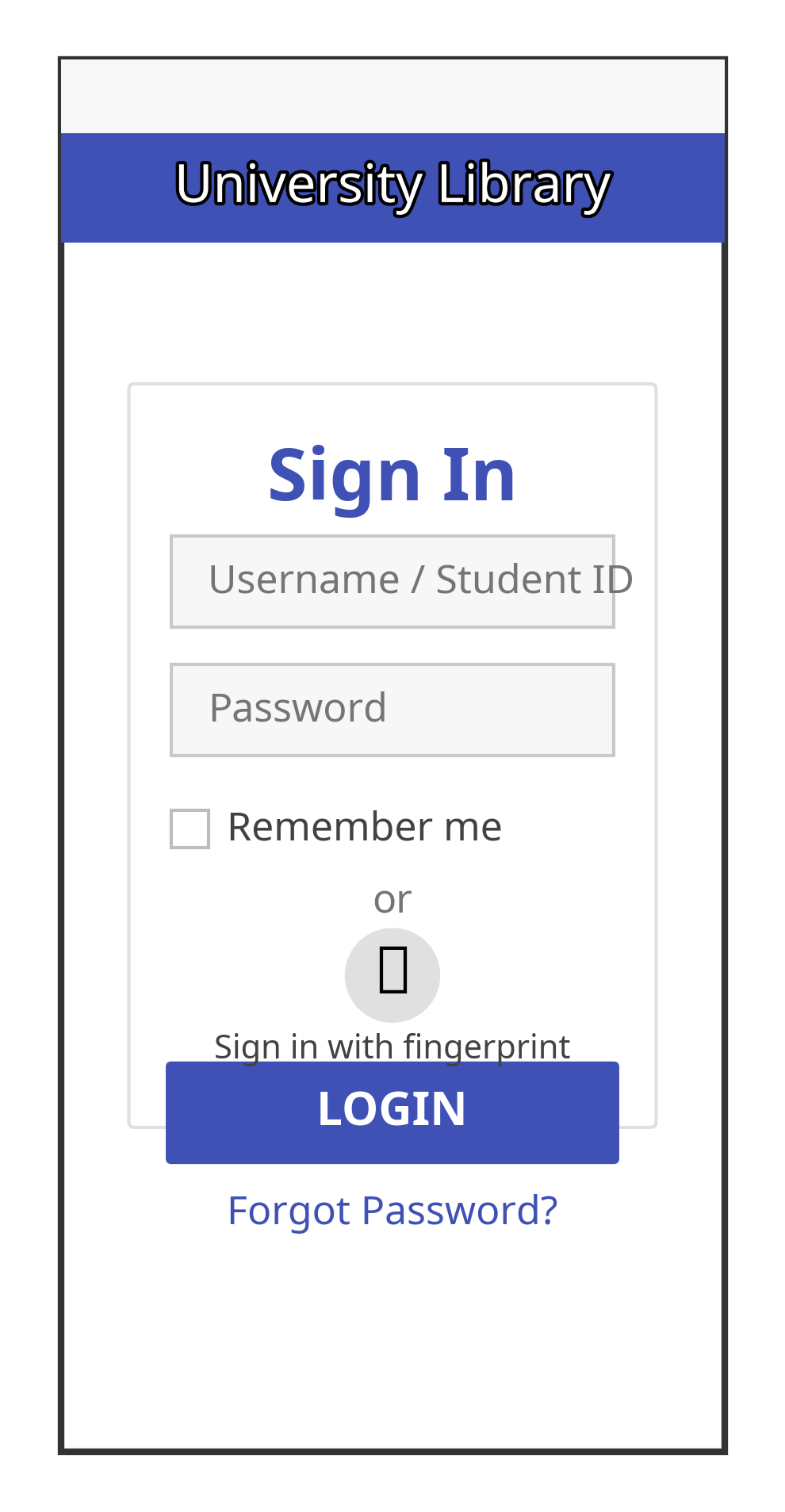
Login Screen Wireframe

Login Screen

The login screen provides a secure entry point to the application with the following features:

  • University branding with library system logo
  • Student credentials input
  • Remember me option
  • Biometric authentication option
  • Forgot password link
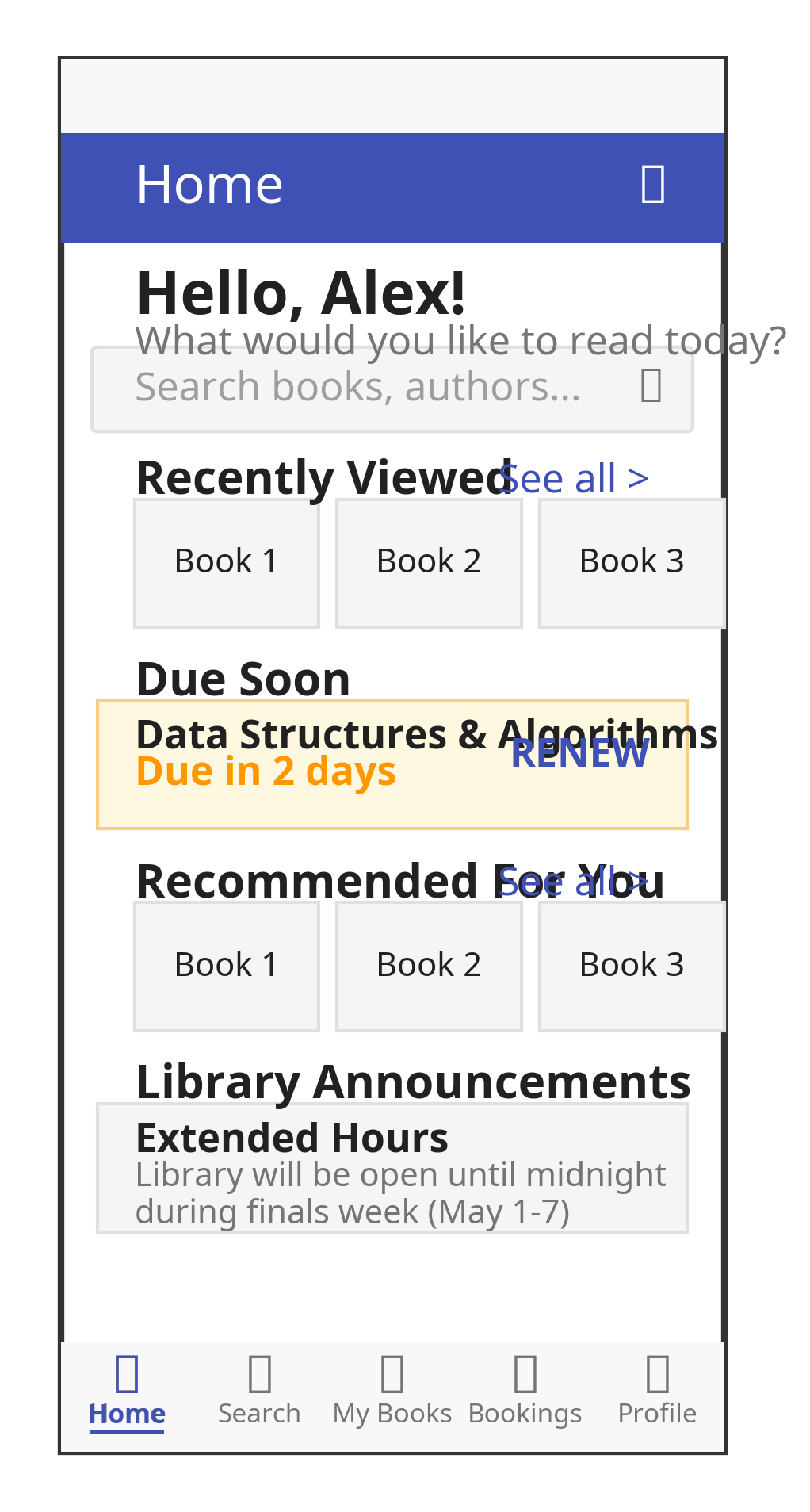
Home Screen Wireframe

Home Screen

The home screen serves as the central hub of the application with personalized content:

  • User greeting and quick search bar
  • Recently viewed books section
  • Due soon alerts for books due within 3 days
  • Recommended books based on borrowing history
  • Library announcements
  • Quick actions (scan book, view QR code for student ID, renew all)
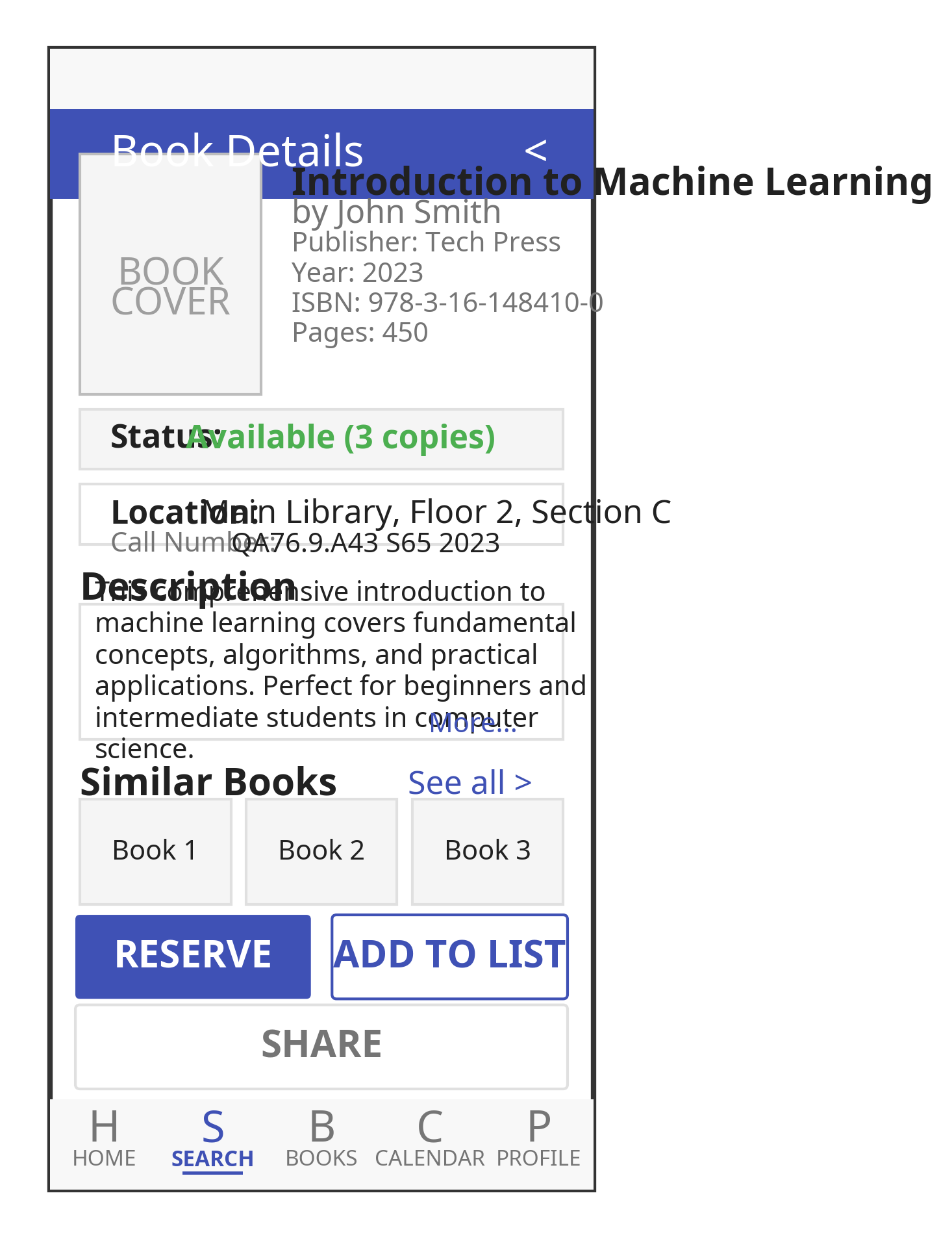
Book Details Screen Wireframe

Book Details Screen

The book details screen provides comprehensive information about a book:

  • Book cover image
  • Metadata (title, author, publisher, year, ISBN)
  • Description
  • Availability status with location information
  • Similar books recommendations
  • Action buttons (reserve, add to list, share)

Documentation

Koha API Integration

The Koha Mobile Library System integrates with the Koha ILS through its REST API. The system leverages the following key API endpoints:

View Full API Documentation

Backend Blueprint

The backend serves as a bridge between the Koha ILS and the Flutter mobile application. It provides the following key components:

View Backend Blueprint

Security Integration Plan

Security is a critical aspect of the Koha Mobile Library System. The security integration plan includes:

View Security Plan

Optimization Strategy

Performance optimization is essential for providing a smooth user experience. The optimization strategy includes:

View Optimization Strategy
View Comprehensive Documentation

Implementation Timeline

Phase 1: Project Setup and Foundation (Weeks 1-2)

Project initialization, development environment setup, and core infrastructure implementation.

Phase 2: Backend Development (Weeks 3-6)

Koha API integration, service implementation, API optimization, and backend testing.

Phase 3: Frontend Development (Weeks 7-11)

Implementation of authentication, home screen, search, book details, checkout management, bookings, notifications, profile, and settings screens.

Phase 4: Offline Capabilities and Optimization (Weeks 12-14)

Implementation of offline data management, UI performance optimization, state management optimization, network optimization, and battery usage optimization.

Phase 5: Testing, Deployment, and Documentation (Weeks 15-16)

Unit and integration testing, user acceptance testing, performance testing, deployment preparation, documentation completion, and project handover.